


New article
Recently updated
Creating a User Profile Service Application

Who is this article for?OnePlace Administrators.
Administration access is required.
Establish a User Profile Service Application with this guide. Whether you are a novice or experienced user, this article provides a step-by-step introduction to creating a User Profile Service Application, ensuring a smooth configuration experience.
1. Creating a User Profile Service Application
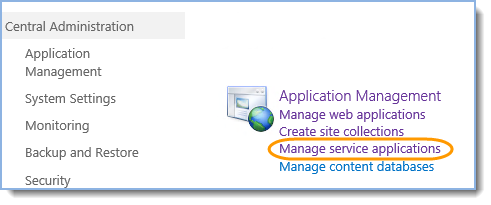
- Go to the SharePoint Central Administration, Application Management section and click Manage service applications:
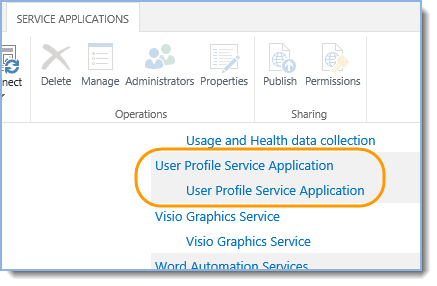
- If there is “User Profile Service Application” then skip to Enabling NetBIOS in PowerShell otherwise continue performing the following steps:
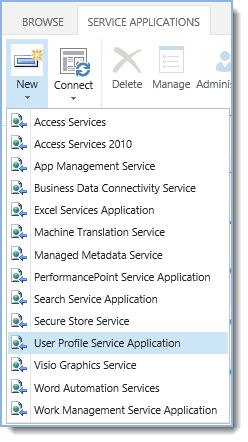
- Click New, then User Profile Service Application:
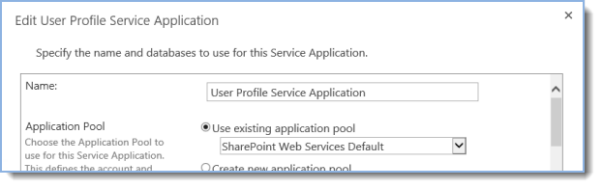
- Provide a name, select default application pool and leave the rest of the options as is:
- Click Create and then OK in the Create New User Profile Service Application page.
Tip: Ready to move onto the next stage of setting up the environment for SharePoint Site Mailboxes? See Enabling NetBIOS in PowerShell for more information.