


New article
Recently updated
Understanding the content type selection process in Mail Manager Enterprise

Who is this article for?
Internal stakeholders wishing to understand the SharePoint Content Type selection process when saving emails and attachments.
none specific.
This article explains how Mail Manager Enterprise determines which content type to apply when saving emails and attachments to SharePoint.
Understanding what is saved
Mail Manager Enterprise provides two entry points for saving content:
- Save an email – for saving email messages
- Save a document – for saving attachments or standalone documents
The content type selection process differs depending on which entry point you use.
Checking content type deployment
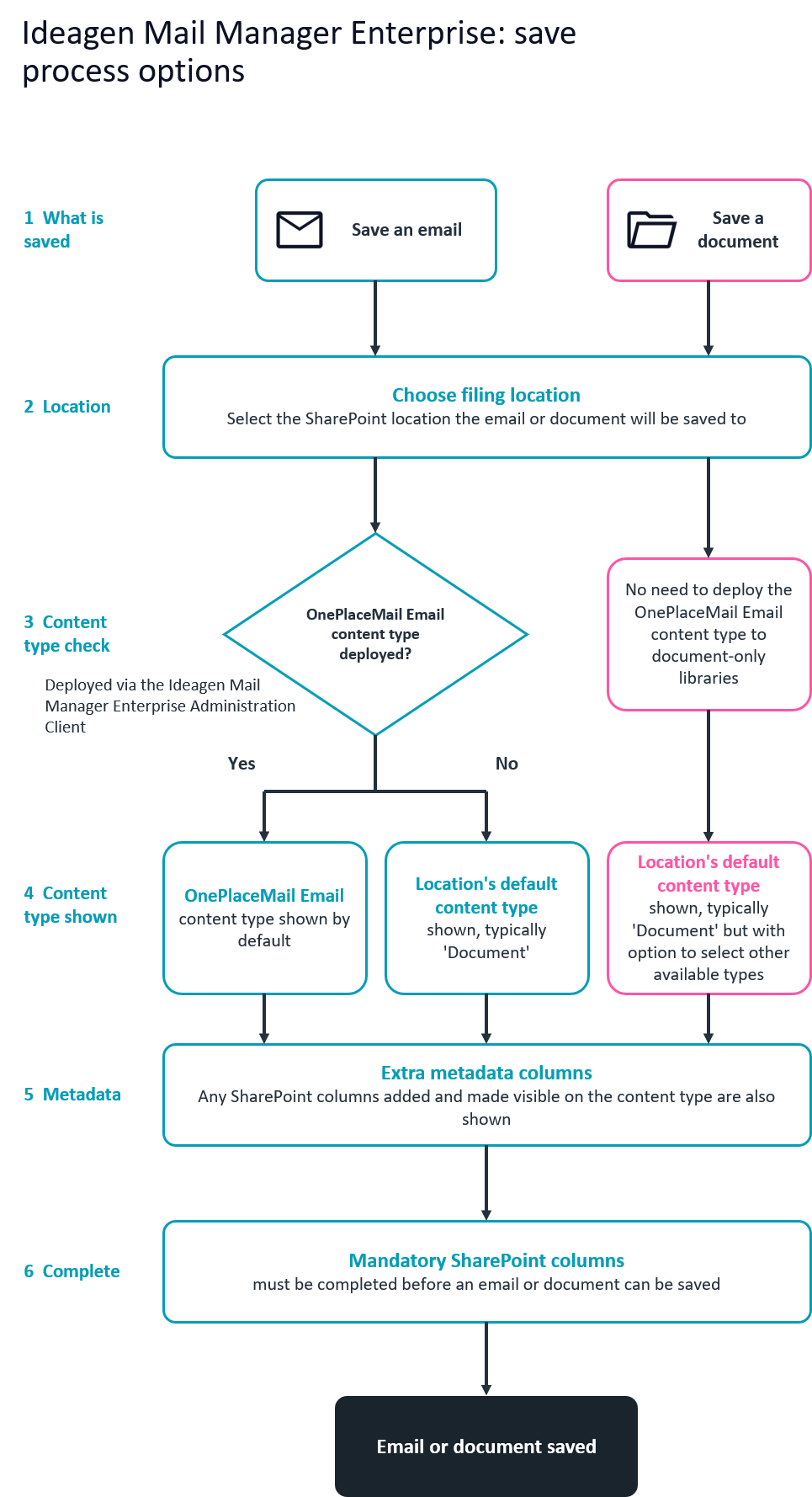
When you save an email, Mail Manager Enterprise checks whether the OnePlaceMail Email content type has been deployed to the target location. This deployment is configured through the Ideagen Mail Manager Enterprise Administration Client.
When you save a document, this check is skipped because there is no need to deploy the OnePlaceMail Email content type to document-only libraries.
Determining which content type is shown
The content type displayed depends on your entry point and deployment configuration:
- Email path with OnePlaceMail Email deployed – OnePlaceMail Email is shown by default
- Email path without OnePlaceMail Email deployed – the location's default content type is shown, typically 'Document'
- Document path – the location's default content type is shown, typically 'Document'
Completing metadata and saving
Regardless of which content type is selected, any extra metadata columns that are visible on the content type can be completed prior to filing the content. These correspond to SharePoint columns configured for that content type.
All mandatory SharePoint columns must be completed before you can save the email or document.