


New article
Recently updated
Installing Exchange Web Services API

Who is this article for?OnePlace Administrators.
Central Administration access is required.
This guide initiates the installation process of the Exchange Web Services API. The below article provides a starting point for a step-by-step walkthrough, ensuring a quick and easy installation experience.
1. Installing Exchange Web Services API
The SharePoint Site Mailbox feature requires the Exchange Web Services (EWS) Managed API 2.0 to be installed to perform synchronization between SharePoint and Exchange.
1.1 Download EWSManagedAPI.msi
- On the SharePoint server download the following file (use EwsManagedApi.msi for x64 version of Windows).
- Start CMD as administrator, change to the directory where you saved the file and execute the following command:
msiexec /i EwsManagedApi.msi addlocal="ExchangeWebServicesApi_Feature,ExchangeWebServicesApi_Gac"

- Select “Install for everyone who using this computer”.
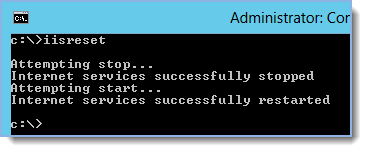
- After installation, type "iisreset" and press enter:
Tip: Ready to move onto the next stage of setting up the environment for SharePoint Site Mailboxes? See Establishing Trust and Service Permission on SharePoint for more information.