


New article
Recently updated
Site Claims Error: Requested site lacks claims enablement or missing Login URL configuration

Who is this article for?OnePlace Users.
No elevated access orpermissions are required.
Encountering a "Site Claims Error" that indicates the requested site lacks claims enablement or has a missing Login URL configuration? This guide provides insights and step-by-step solutions to address this issue, ensuring a seamless and error-free experience.
1. Site Claims Error: Requested site lacks claims enablement or missing Login URL configuration.
1.1 Issue
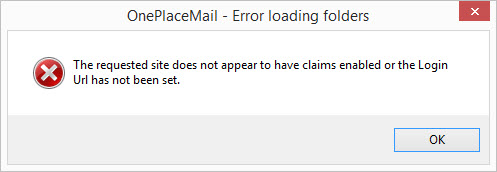
When connecting to a site collection that has Anonymous access enabled on the web application, the following error appears:
1.2 Solution 1
If possible, turn off "Enable Anonymous Access" for the Web Application.
- Open Central Administration.
- Select "Application Management".
- Select the Web application to be modified.
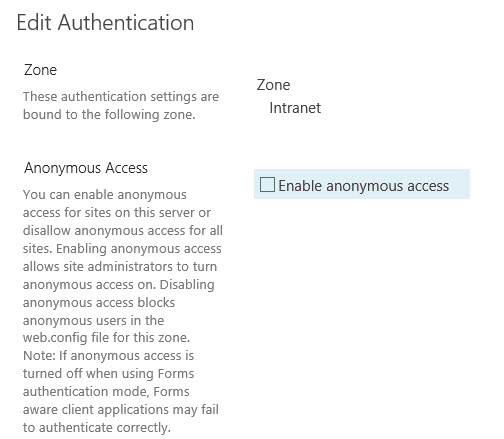
- Select 'Authentication Providers' from the ribbon and applicable zone (default).
- Uncheck "Enable anonymous access".
- Select Save.
Note: The error regarding the custom URL should no longer appear, and all contents of the site collection be displayed in the SharePoint tree.
1.3 Solution 2
If anonymous access cannot be turned off, it is possible to extend the web application to allow for alternate access mappings.
- Open Central Administration.
- Select "Application Management".
- Select the web application to be managed.
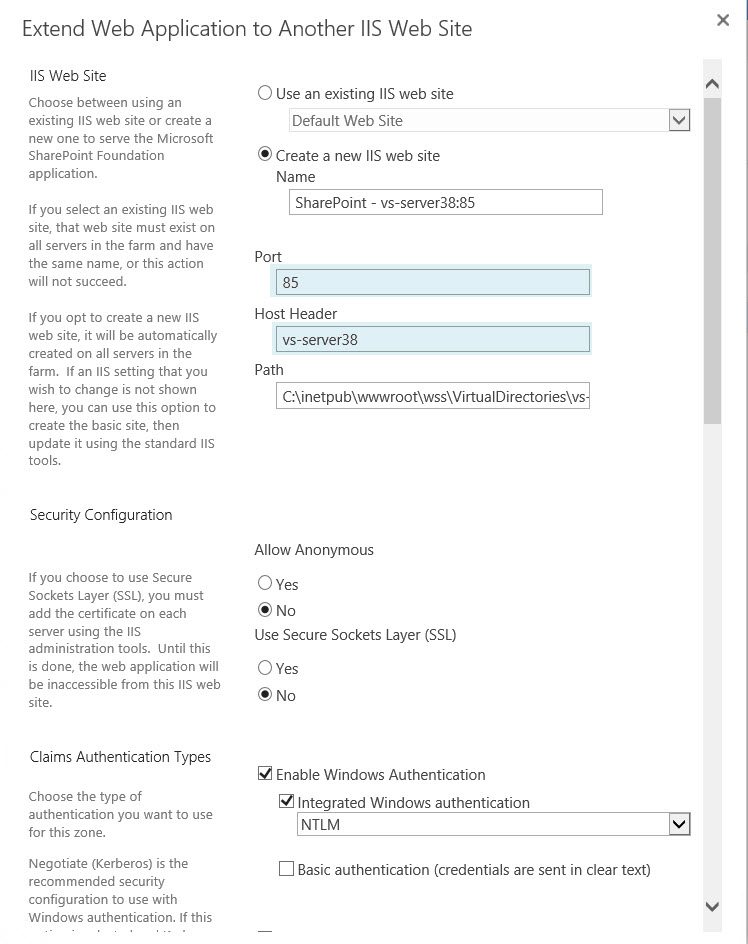
- Select "Extend" from the ribbon

- Enter the host header information and port number
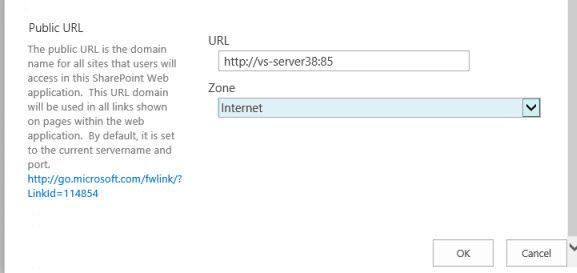
- Select the zone for this URL.
- Select Save.
- There should now be two URLs available, in separate zones.
- Select the extended URL and modify the Authentication Settings for this zone to have enabled access disabled.

- Add this URL to the OnePlace Solutions products, "Add Site Collection".