


New article
Recently updated
Error when Creating a Configuration Profile in OnePlaceLive

Who is this article for?OnePlaceLive Users.
OnePlaceLive access will be required.
Encountering an error during the creation of a Configuration Profile in OnePlaceLive? Dive into this guide for insights and step-by-step solutions to address and resolve the issue, ensuring a seamless configuration process.
1. Error when creating a Configuration Profile in OnePlaceLive
1.1 Issue
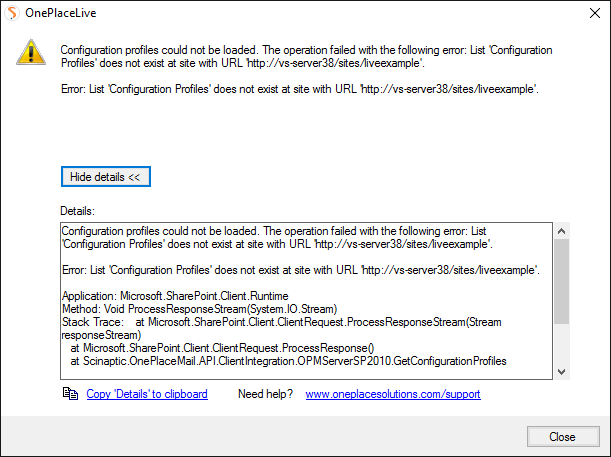
You receive the following error whe attempting to create a Configuration Profile in OnePlaceLive, when you have an existing OnePlace Solutions site created.
1.2 Reason
To work with the enhancements to this service, and allow for existing configuration settings to not be affected, a new list needs to be added to the SharePoint site.
1.3 Resolution
- Please select the following link to download the list, named Configuration Profiles. This will need to be uploaded to the site.
- Upload the stp to the OnePlace Solution Site.
Upload the list to the site:
- Select 'Site Settings'.
- Under 'Web Designer Galleries', select "List Templates'.
- From the menu, select Files, then select 'Upload Document'.
- Browse to where the previously saved stp was saved, select this file.
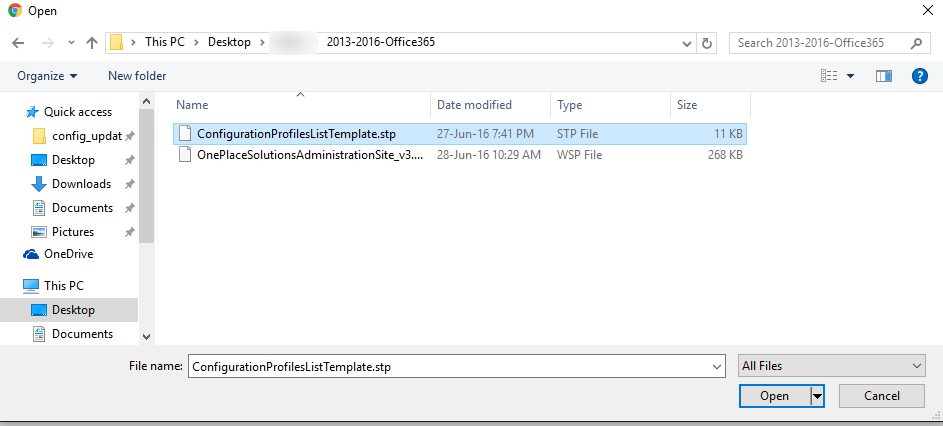
- Select OK and Save.
Add the list to the site:
- Select Site Contents.
- Select 'Add an app'.
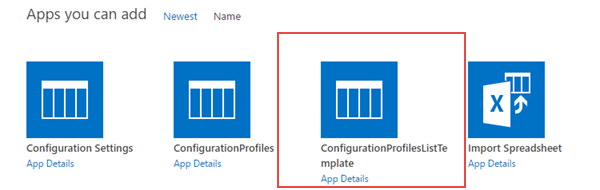
- Locate & select the app named "Configuration Profiles List Template".
- Name this Configuration Profiles
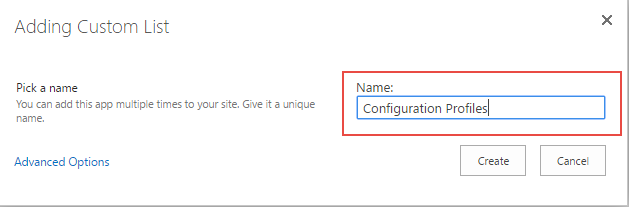
Note: The list must be named exactly as specified above.
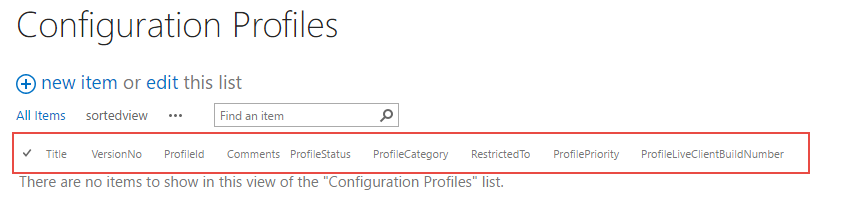
- The list has now been added to your site, with the following columns:
- You can start to build your configuration profiles.