


New article
Recently updated
Establishing Trust and Service Permission on Exchange

Who is this article for?OnePlace Administrators.
Administration access is required.
Delve into the intricacies of establishing trust and service permissions on Exchange, guiding you through a detailed walkthrough for a seamless and effective configuration.
1. Establishing Trust and Service Permission on Exchange
Site Mailboxes feature requires that OAuth Trust is established and Service Permissions on Exchange 2013 are set up.
1.1 Running Standard PowerShell Script
- On the Exchange Server open the Exchange Management Shell, change current path to the "C:\Program Files\Microsoft\Exchange Server\V15\Scripts" directory.
- Run the following command:
.\Configure-EnterprisePartnerApplication.ps1 -ApplicationType Sharepoint -AuthMetadataUrl https://<SP>/_layouts/15/metadata/json/1
e.g.
.\Configure-EnterprisePartnerApplication.ps1 -ApplicationType Sharepoint -AuthMetadataUrl https://vs-server15:82/_layouts/15/metadata/json/1
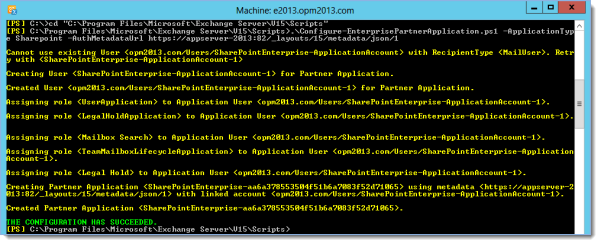
Tip: Your environment is now ready for provisioning a Site Mailbox in SharePoint 2013.
Please follow the article Configuring Site Mailboxes in SharePoint for further steps.